Author: Robert Szczygielski

  • Advanced Protection Program

    Advanced Protection Program

    Currently, more and more technology companies focus on user safety, and therefore invest in tools that enable  adequate protection. In this regard,  Google Chrome is not an exception. With its subsequent versions, it becomes richer in functions that ensure the safe use of the application. The Advanced Protection Program is a service with which the latest browser update has been integrated. Its key task is to protect users against the dangers lurking in the network. The same program was previously implemented as Gmail advanced mail protection.

    Google Chrome with the Advanced Protection Program – what does this mean?

    Currently, Internet users choose to increase protection when using the network. Therefore, hackers and cyber criminals change their strategy, by trying to threaten Internet users in a different way than the one via e-mail. They release malicious software and so-called “Drive-by downloads” through which users download malicious files.

    The Advanced Protection program can alert users of potential hazards. Internet users who have activated Chrome Sync start receiving automatic alerts whenever they try to download risky files and malware that is a real threat to their computer. In extreme cases, Chrome can completely block the download of dangerous files.

    As reported by IT services, the new security system is to be more stringent than those used by Internet users at present. Importantly, there will be no requirement to install any additional programs on the hardware. The files are to be analyzed by tools implemented on Google’s servers.

  • Firefox Private Network

    Firefox Private Network

    The Firefox team has been working for many years to ensure that products and services that they create fully meet the multidimensional needs of Internet users. To this end, a pilot test program (Test Pilot) was launched to check and help refining products targeted at users. Tips sent by registered customers were invaluable in this case. They guided the creators of the program and enabled them to accurately meet the requirements of potential recipients. Currently, the pilot test program has been restarted, and its task is to test the beta version of the latest project: Firefox Private Network.

    Firefox Private Network – what is it?

    At a time when there is a growing demand for privacy protection, the Firefox team has released an extension of the browser that provides secure and encrypted internet access. The network connection and users’ personal data are protected at the browser level, regardless of where they use the Firefox browser.

    With the development of new technologies, there are many ways to reveal confidential information and personal data of network users. Internet threats are really everywhere. Theft can occur through unverified messages or even through an unsecured public Wi-Fi network that is used by many people at the same time. Such activities endanger users’ personal data. An extension created for the popular Firefox browser helps protecting against cyber criminals who are just waiting for the right moment to capture information.

    In order to  test the new browser today you only need to register. Account holders have the priority to check the operation of products and services that have not yet been released for official distribution.

    Firefox Private Network features:

    Protection when using a public Wi-Fi network.

    Regardless of where the Internet network comes from, using Firefox, we can be sure that our connection is protected. This is because of a special web browser tunnel that encrypts information such as visited websites and the personal and financial data.

    Hide IP.

    The IP address is like the address of the computer used by the user. By hiding it, we prevent ad networks from tracking your browsing history. Firefox Private Network encrypts the IP address and guarantees protection against tracking modules on the Internet.

    Additional privacy protection.

    There is a special button in the browser extension that informs about protection activity. It can be turned on or off at any time, depending on whether or not the additional privacy protection is needed.


  • Qsync and file synchronization

    Qsync and file synchronization

    Efficient file synchronization between company devices is an extremely important issue that has a key impact on the efficiency of teamwork. The Qsync application allows data to be transferred between the QNAP NAS and corporate devices such as laptops, computers and remote devices. It’s the perfect solution for companies where several employees work on the same files at the same time, while being in different places. The application allows you to create a folder and give access to it to selected business users, both from a computer as well as from a mobile device, and regardless of whether the work is done stationary or remotely. Importantly, file synchronization occurs in real time, which means that the information entered into the file is updated as soon as it is saved. Thanks to this, users always have access to fresh versions of files.
    Qsync is also an effective solution for private users. The application enables accessing user’s files from anywhere as well as sharing them with family and friends.

    The Qsync application is completely free, and its configuration for comuters is possible from any QNAP server. It can be downloaded from the Play Store for Android or from the AppStore for iOS. In addition, the application designed for mobile devices has the option of automatic synchronization of photos taken with the QNAP server.

    Qsync – application advantages

    1. No costs or restrictions with Qsync

    Qsync is a part of the QNAP NAS, so that using it does not involve any additional costs, while disk space is limited only by the capacity of the NAS itself.

    2. Control over stored data

    The Qsync application is located on the user’s server. As a result, during synchronization files do not pass through additional systems, and the user has full control over the use of files and their transfer.

    3. Save space on external devices

    The application allows you to delete files from one device without affecting the copy found on another devicees associated with the NAS. In addition, if the updated files are deleted from a device, they can still be downloaded from the Qsync folder.

    4. Synchronization with all connected devices

    In case files are edited, deleted, renamed or added on one device, the file’s tree on other synchronized devices are modified, so that exactly the same content is found everywhere.

    5. Synchronization of shared folders

    Synchronization of shared folders works like file synchronization. All users who have been given access to a shared folder have access to their synced files on their devices as well.

    6. Sharing files with a group of users

    This is an option particularly useful for a team where each group deals with something different. Working on a specific Qsync folder, you can create subfolders and assign permissions to each of them to a different group of users.

    7. File sharing via download links

    The Qsync application allows you to create download links even for users who don’t have a NAS account. This significantly streamlines the process of sharing files with third parties, without having to create a separate account for them.

    8. Version control

    The version control feature of the application allows you to save all previous versions of files. You can avoid overwriting files and deleting them permanently from the server. In addition, you can also recover files that were deleted by mistake from the recycle bin.

    9. The same settings for all devices

    The central configuration of Qsync allows not only to manage user rights, but also to apply custom settings on all devices compatible with the application.

    10. Remote wipe of the Qsync folder

    In the event of theft or loss, the application allows remote deletion of folder contents in order to prevent data interception. Most importantly, you can restore the contents of the folder at any time.


  • What is Wi-Fi 6?

    What is Wi-Fi 6?

    The new Wi-Fi 6 standard, also known as 802.11ax, is currently the cutting edge of wireless connectivity. At first glance, it could seem that  there is only a sign behind the name Wi-Fi 6, which in practice does not matter much. In fact, however, the new generation of Wi-Fi networks has many advantages that ensure more efficient operation of the equipment which is connected to it. First and foremost, Wi-Fi 6 provides better performance, flexibility and scalability. This, in turn, has an impact on the speed of new as well as existing wireless networks and on their bandwidth, what is of a great importance in view of technological development and new, more demanding applications. In addition, Wi-Fi 6 provides less latency, longer battery life and greater range. It also features improvements in security elements.

    So what are the benefits of Wi-Fi 6?

    1. Higher speed.

    Mobile networks based on the 4G standard are an unquestionable improvement for mobile devices that have no access to a landline internet. However, this does not change the fact that whenever there is such a possibility, users willingly use a connection to a Wi-Fi network. Especially since it gives much more possibilities and stability when working or downloading files.

    Wi-Fi 6 requires a new router and compatible equipment in order to work efficiently and to use all the connection power without any problems. Routers and laptops adapted for the new generation will have ability to use the link speed of up to 10 GB / s. This is three times better than the one achieved by the predecessor – Wi-Fi 5. In the case  more equipment work simultaneously in the net, the new Wi-Fi technology can provide a speed of up to 100 Mb / per device. According to specialists, home internet speed in the range from 250 Mb / s to 1 GB / s is not a major problem for new routers. Mu-MiMO technology, which uses Wi-Fi 6 can significantly accelerate the data transfer.

    2. Less battery consumption.

    The Wi-Fi 6 standard includes support for all accessories as part of Internet of Things and compatibility with the latest Intel processors. According to specialists, the battery performance is around 20% better as compared to the previously tested Wi-Fi 5. In addition, more efficient Wi-Fi 6 systems installed in newer laptops allow to refresh processes and work in sleep mode.

    3. Secure hotspots.

    Faster identification of users and devices that connect to the public network via routers with Wi-Fi 6 technology is a priority for network companies. Cooperation with major brands ensures greater security of data transfer. In the event of any problem or threat, Wi-Fi 6 enables a rapid response and minimizes the risk of hacker attacks.
    Undoubtedly, the most important change is the acceleration of data transmission for public networks. This means that Wi-Fi 6 networks for instance at airports, in cafes or concert halls will have better connection stability, even when hundreds of users will use it.

    4. Less frequent obstacles when using Wi-Fi 6.

    Currently, in most hotels, public places or even airports a potential user logs into the network via an e-mail address or specially generated code. However, Wi-Fi 6 is to provide much simpler access to wireless internet. Logging into “known places” will only be required the first time. The equipment and network will remember the user, without the risk that he will be forced to provide login details each time he wants to use the network. This is specially usefull for companies that have branches around the world. In addition, Wi-Fi 6 ultimately requires WPA3 certification. It enables better encryption of transmitted information, while ensuring security, especially in public places.

    There is no doubt that the new generation of wireless network is a technology that will benefit all users. First of all, it will provide less delay when using the Internet and when working on several documents at the same time. Downloading more files, regardless of their size, will also be accelerated. However, you will have to wait for this standard for a while. The implementation of the new generation and the creation of equipment adapted to it will take some time. Certainly devices supporting Wi-Fi 6, as new and innovtive on the market, will initially be much more expensive than the average. Entrepreneurs and corporations will therefore benefit from this technology much faster than mass users.

    Also read the article ” Secure network in the company – what to look for?

  • Mattermost – company messenger

    Mattermost – company messenger

    Internet messenger for companies is currently one of the most commonly used and at the same time the fastest solutions that improve communication between employees. It facilitates communication between team members working on a joint project, but also work well when dealing with clients. Mattermost is currently considered the best and the most extensive tool of this type.

    Mattermost – what exactly is it and how does it work?

    Mattermost is a simple to use and intuitive group communication system , which in design resembles its well-known colleague – Slack. The incredible advantage of the system is flexibility, thanks to which companies and organizations receive a system that perfectly fits into the work model and needs of a given company, regardless of its size. The Mattermost communication center also ensures availability on any device, wherever you are. It allows you to create your own private hosted chat system, thanks to which communication of the entire team takes place in one place. This, in turn, allows you to create both group and private chats.

    General characteristics of the Mattermost

    The administrator of a system in which Mattermost has been implemented has the right to monitor the statistics of individual teams and change the role of their members. In addition, he can create new teams, add and delete accounts and configure individual settings. Users can, however, send invitations to each other or add users to existing chat groups. An undoubted advantage is the fact that if a user for some reason cannot directly participate in the discussion, he will receive information via e-mail. Another advantage of this application is that it can be installed not only on computers, but also on Android or iOS systems, which simpliefies contact with other users.

    Mattermost – system requirements:

    – QNAP NAS with x86 processor;

    – QTS 4.3.3. or newer;

    – Container Station v1.7.2415 or newer;

    – port forwarding on the NAS.

    See the next article for more information.

  • Is antivirus needed?

    Is antivirus needed?

    Antivirus is by definition a program that, in short, protects your computer against malware, especially in the age of the Internet. There are many such solutions available on the market that more or less fulfill their task. Antivirus software, like any other, has its supporters, whose first action after a fresh installation of the operating system is to download the appropriate security package. However, there are also opponents who claim that nowadays in view of the advanced information technology, anti-virus is something absolutely unnecessary. How is it really ?

    What is an antivirus?

    An antivirus program is nothing more than a security package whose task is to detect and fight computer viruses and malware. Such programs are usually equipped with file monitors, which are designed to check the media connected to the computer and their files. In addition to monitors, anti-viruses contain scanners. These identify cyber threats that appear on a computer’s disk, on pages visited, or on uploaded or downloaded files. Very often, along with the scanner and the mechanism of checking the computer in real time, the anti-virus provides a firewall. This is to prevent access to your computer through gaps in its system infrastructure. In addition, good anti-viruses have functionalities that scan your e-mail, if you use a system e-mail client, and other elements that are designed to prevent specific dangers.

    Thus, the answer to the question of whether or not an antivirus is really needed actually comes to mind itself. Yes, unless we use firewalls or programs implemented in our computer’s operating system.

    Antivirus – what you should know

    Currently, the network offers many options for choosing between anti-virus programs offered by manufacturers specializing in such products. Some of them are available to users completely free. They offer quite decent protection, but unfortunately not full. To comprehensively secure your computer, you would have to buy a full package, and this involves a considerable annual expense in the form of a subscription.

    It should also be mentioned that one of the most common problems of anti-viruses released on the market is the lack of updates. Software producers often react too late to threats circulating in the network, and thus delay the implementation of patches. It may seem that this is nothing, but in a situation of direct threat to your computer, you only need a few hours to lose all the data stored on the equipment. Not to mention the fact that within such a time several hundred computers can be attacked simultaneously with the same virus. A figth against such an opponent turns out to be impossible to win.

    Maybe antivirus is not absolutely necessary on every computer, but installing it certainly does not hurt at all and can only help. For those who do not want to spend money on paid versions of antivirus programs, it is recommended to install programs under a free license, which are usually sufficient in abasic protection of their equipment. However, it should be remembered that neither a paid nor a free antivirus program can replace a common-sense when using a computer.

  • Password for the document in LibreOffice

    Password for the document in LibreOffice

    Although LibreOffice is a free software, it is increasingly used not only by private individuals but also for commercial purposes. If one gathers important data in the LibreOffice spreadsheet, one may need or want to secure the document. Protecting the file with a password ensures that no unauthorized person reads the information stored in it.

    LibreOffice enables strong file-encryption using the AES algorithm with a 256-bit key, which in turn is derived from the key via a special function (PBKDF2).

    In the free LibreOffice package, password protection is not a complicated task. Below is a brief instruction on how to get started. However, it is worth to remember to choose a password that is “strong”, i.e., difficult to crack.

    How to set up a password on a spreadsheet and LibreOffice document?

    1. Select the “Save as” option from the “File” tab.

    2. Set the document name and location to save it, uncheck the “Save with password” box, and then save the changes by clicking “Save”.

    3. The “Set password” window will open where you must enter the passwod you have set and repeat it. Finally, confirm with “OK”.

    4. Close the file, and from now on, any attempt to open it will require entering the access text.

    Change of access password

    1. After opening the encrypted file, select the “Properties” option from the “File” tab.

    2. In the opened window go to the “General” tab and select the “Change password” option.

    3. A window will open in which you must enter the new password, repeat it and confirm the change by clicking “OK”.

    Setting different passwords for opening and editing a file

    1. When setting the password for the file, expand the “Options” field.

    2. Check the “Open read-only file” box.

    3. Enter the second password.

    In this situation, when you enter the first, main password while opening the document, it will open in the read-only mode. You will be prompted to enter the second password in case you will try to edit it.

  • Why should I use a VPN?

    Why should I use a VPN?

    The VPN abbrevioation sounds rather mysterious. For some it may be even a bit threatening. However, it is not as devil as it is painted. Three inconspicuous letters hide great power that can prove to be salutary.

    What is a VPN?

    To start with, it’s worth explaining what a VPN network is. The abbrevaiotion stands for Virtual Private Network. That already says a lot. Although it is a virtual network, i.e. a network for which no cables are required to be connected, it is somewhat protected. As a result, access to it is limited and moderated. This has the aim of increasing the security while working or exchanging files.

    The Virtual Private Network is secure when it is first created in the company’s infrastructure, and only then the access to it given to users. How does VPN work in practice? This is not a complicated thing. In order to connect to the company’s local server, the user uses an encrypted VPN connection. It masks the user’s location, and at the same time allows full access to company’s files from anywhere on earth. Thanks to this, surfing the Internet through free, public Wi-Fi networks becomes safer.

    How does VPN work?

    More specifically, VPN encryption can be compared to encrypting websites, e.g. those of banks. They use the ” https ” protocol to encrypt sensitive data provided on such sites. In the case of VPN it is similar, except that it is called tunneling.

    Tunneling captures all packets that we send when connecting to a given website, encrypts them and puts in a new packet each time. This is a bit like creating a .zip archive. The server then unpacks these packages. However, anyone who intercepts them while sending them will only receive encrypted data and no further information, what was ultimately our intention.

    A VPN facilitates the use of public networks in cafes, parks or airports, the use of which in normal conditions is categorically discouraged because of a lack of security. The VPN network hides from users of the same network any information about what we currently do on the Internet. Thanks to this, one for instance gains the opportunity to check e-mail or account balance freely, without risking of being spied.

    Using a VPN has great benefits and even more possibilities. The effectiveness and popularity of this solution increases day by day. First of all, cause it enables safe use of public network and allows access to its resources from every corner of the world.

  • Disk encryption – VeraCrypt

    Disk encryption – VeraCrypt

    An antivirus program, password-protected acces and other security measures are sometimes not enough to protect confidential data from unauthorized persons. What if someone manages to copy our personal files directly from our desktop computer, because he gained a direct access to it by taking advantage of our inattention ? Or what if we unfortunately lose a laptop ? Then anything stored on our computer’s hard disk will be at risk of being intercepted. However, there is a way to prevent such accidents – encryption. It involves creating an encrypted partition on the disk for sensitive data, which no one else will have access to.

    VeraCrypt – what is that?

    Vera Crypt is a program to encrypt data on computer disk partitions. Although Windows has the BitLocker setting in its options, it is unfortunately not available for all systems. It is much better to install VeraCrypt, which has no restrictions and works just as well on Windows as it does on Linux or Mac.

    From a technical point of view, VeraCrypt is the successor to the well known and popular TrueCrypt. It is also free and available to everyone. It is known for its reliability and uniqueness of algorithms that only the owner of a device can decrypt. VeraCrypt works quickly and efficiently. Any security holes or any malfunctions ever discovered in its functionality are aways quickly eliminated.

    VeraCrypt encryption

    VeraCrypt is perfect if you want to obtain maximum security for your data carriers. Using this software, you can easily and effectively encrypt the entire disk or only a selected partition of it. With VeraCrypt you can also encrypt an USB storage. This is especially important as USB sticks are most often at risk of being lost, which can result in interception of the data by unauthorized persons. However, if we properly protect them with VeraCrypt, we can protect our files against intruders. In addition, the program offers a wide range of encryption algorithms and the option of cascading encryption, i.e. the use of several layers of encryption to one medium.

    When encrypting the disc one should keep in mind that such action can very often result in a noticeable decrease in its performance.

  • Is it worth investing in an SSD drive?

    Is it worth investing in an SSD drive?

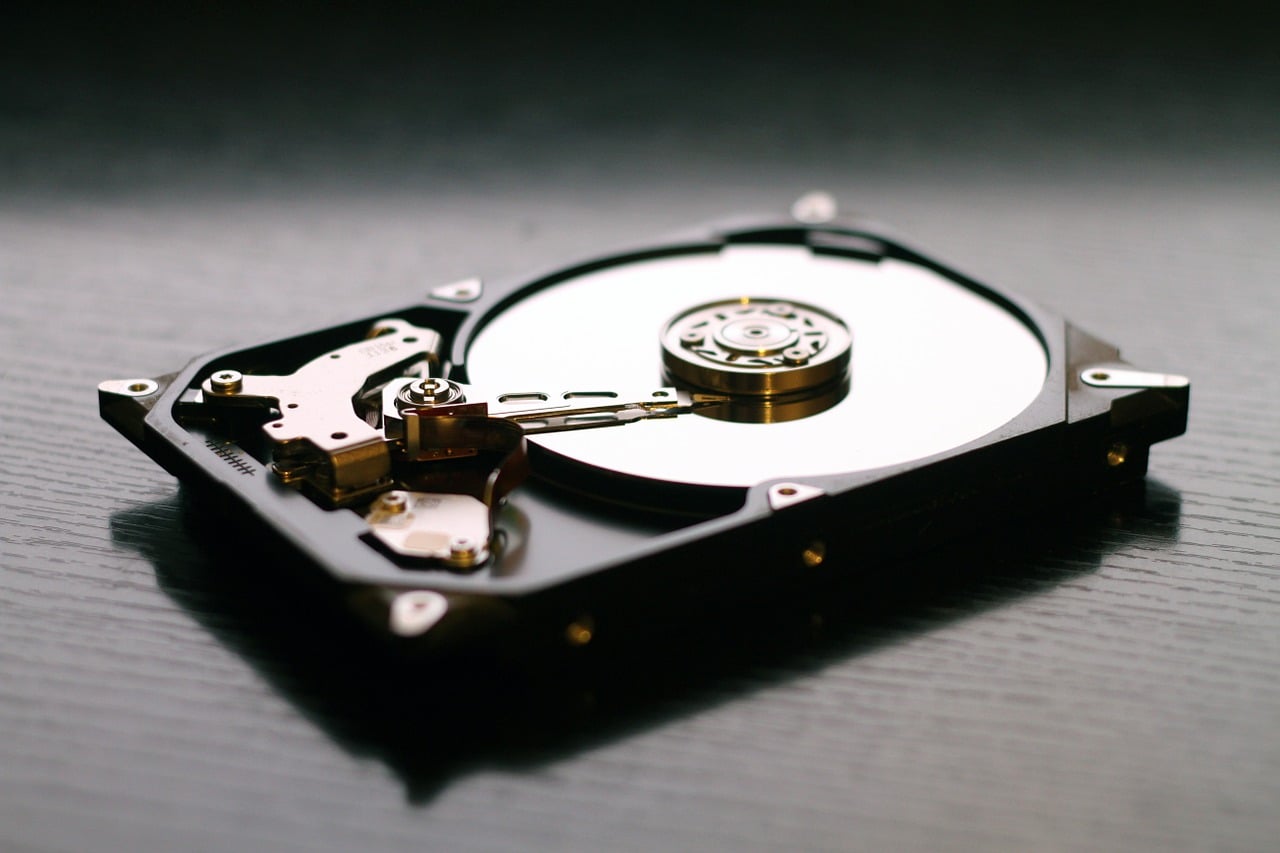
    When completing computer equipment, we usually pay attention to the fact that the processor and the graphics card are efficient and that they meet our expectations. We attach less importance to a hard disk, which really plays a key role for the smooth operation of the computer, driving its efficiency in everyday work. Without an efficient hard drive, we will not be able to utilize all the capabilities of our equipment. For exmple  if a quick startup of the computer and a short time to open programs and folders are the priority, one should definitely invest in an SSD drive. Such a disk has also a significant impact on accelerating the time of file-transfer between devices.

    However, it is worth remembering that the more efficient the SSD, the higher its price of it will be. For this reason, many people decide to use another, equally profitable solution. One can buy a disk with a smaller capacity and install on it only the operating system and programs which are used most frequenlty , while private files and documents one can store on a classic HDD disk with larger capacity.

    SSD advantages

    1. Increased resistance to mechanical damage

    An SSD drive is more resistant to a damage resulting for example from falling down. This is why such disks are  very often used in laptops, which, as a rule, are more mobile devices, that are carried from place to place.

    2. SSD disk and noiseless operation

    The noiseless operation of the device results from the fact that these types of disks have no moving parts.

    3. Much lower power consumption than classic HDDs

    Although it is not a priority issue with desktop computers, energy saving is very important for laptops. Every minute of work without having to connect to the power supply is crucial for a mobile device.

    The IT industry is one of the fastest growing businesses in the world. Every now and then technological innovations appear on the market, with which manufacturers are going to surprise their customers and encourage them to buy new equipment. Therefore, very often one has   almost unlimited and very difficult choice between different opportunities . Before deciding to buy a given SSD drive, it is worth reviewing the thematic forums and looking for the opinions of other consumers who have used similar products. Rankings that can be found on websites devoted to computers can be helpful as well.